
To install a printer first, we need the drivers needed for operation according to the printer model. Most printers have the model inscribed on the front and is very easy to find without headaches.
After finding the printer model, we are looking for Drivers on Google for the installation of its «driver or driver model» used (example: HP 3005n driver)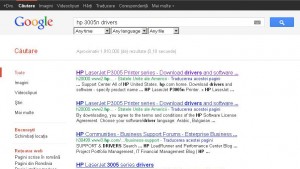
First of all, we assure ourselves that the printer is connected to the socket, that it has 10-20 sheets in the drawer and that it is perfectly functional by printing a test page in its menu (see the manual of the manufacturer),
1. Download the driver on the desktop or in an easily accessible folder not to look for the whole computer and make sure to download the driver from the official producer page to avoid viruses. Most manufacturers offer drivers based on the operating system, choose the right driver for the operating system. The official pages of the manufacturers have the name included in the URL (www.dell, www.hp00000, www.kyocera, etc.) and must appear as follows:
http://h20000.wwww2.hp.com/bizsupport/techsupport/productlist.jsp?lang=en&cc=us&taskid=135&ProdSeriesid=1846088&Prodtypeid=18972
http://www.dell.com/support/drivers/us/en/19/driverdetails/drivaleformatsi?driverid=r165289
http://www.kyoceramita.eu/index/service/dlc.html
http://www.bral-usa.com/downloads/#.txgnshp_a1u
2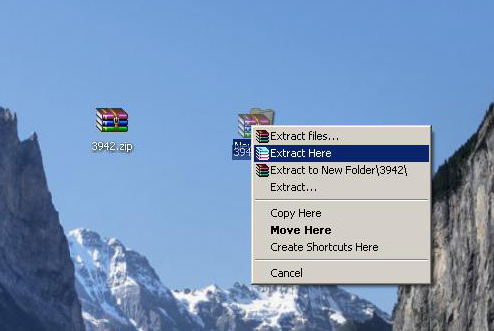
-In the driver contains an executable file (setup.exe, driver.exe, etcexe) we open it and follow the manufacturer’s instructions until the end of the installation. Restart your computer if the driver asks for it.
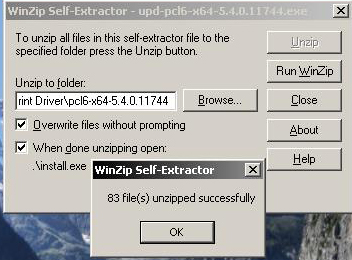
-In the case the file is Unzip alone, press the UNZIP button and make sure that the 2 «oversize files without prompts» and «if performed will not open: /install.exe». Wait for the completion of the discomfort process, at that moment the «non -zipped» box will be displayed, press the OK button and wait for the installation. As in the passage above, follow the manufacturer’s instructions and restart the computer if the driver requires it.
-The case of the driver, the driver has not executable or the decomposition does not have the option «when it is performed as a decustion: /install.exe», it must be installed manually and we move on to the passage of humor.
3 If Windows finds the driver, he will install him alone and in the end he will display a finishing page. Otherwise, move on to the next step and continues the manual installation.
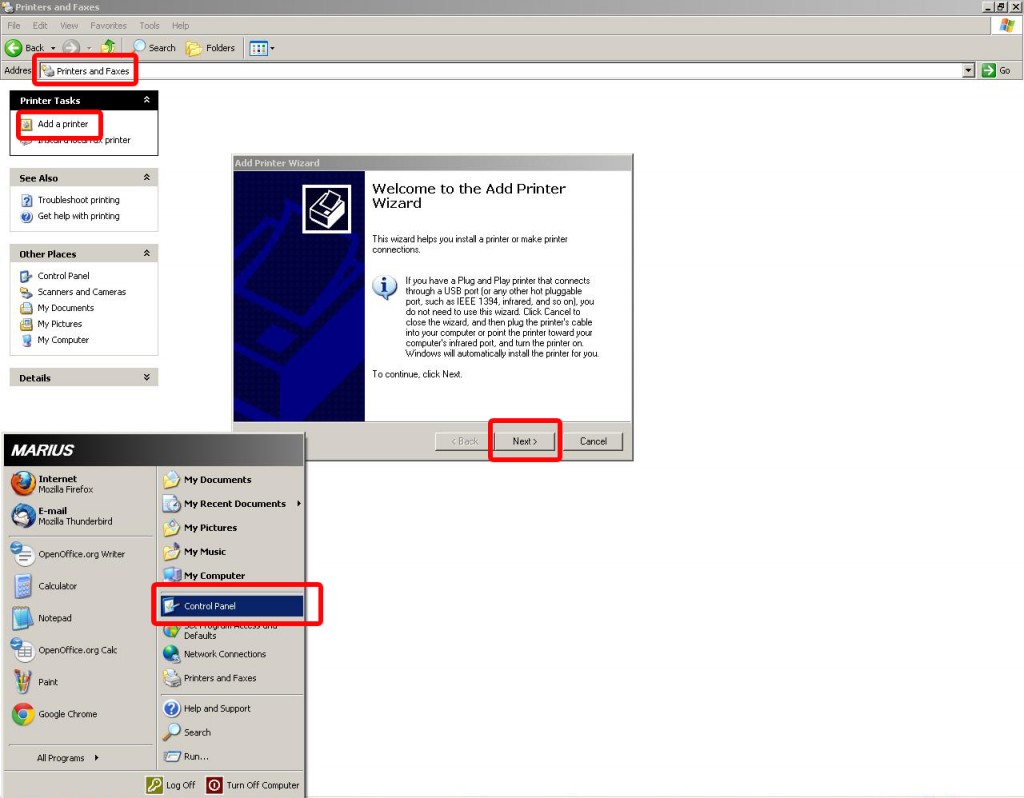
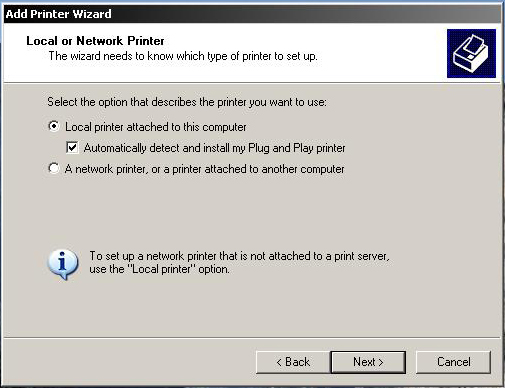
4. Now you will receive a notice message that the printer drivers have not been found, select the manual installation and move forward. Select the door to which the printer is connected, generally bears the printer name or is recommended by the operating system.
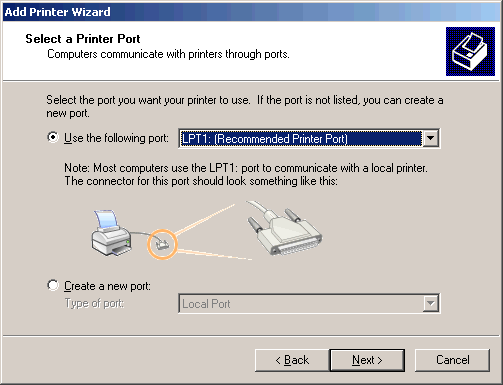
5 If the OK button is not active, it means that you have not reached the corresponding folder with the necessary drivers.
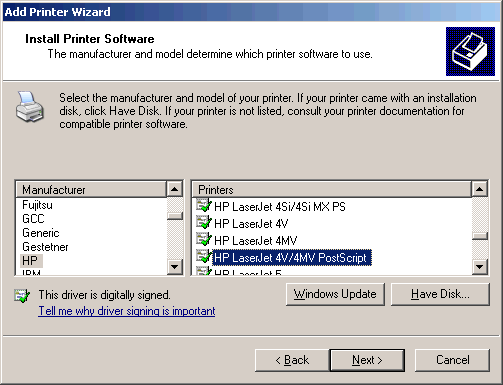
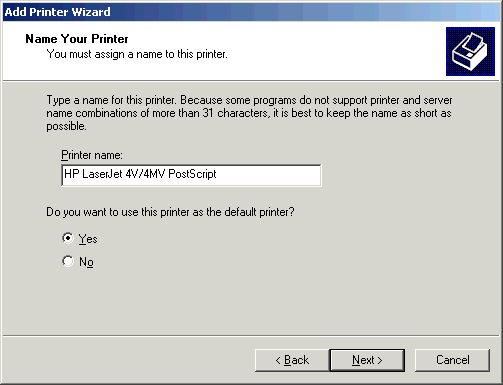
6. Now the printer has been installed, in the next step you can give a printer name and you can select it or not, like the main printer (in case you have multiple printers
connected to the same computer)
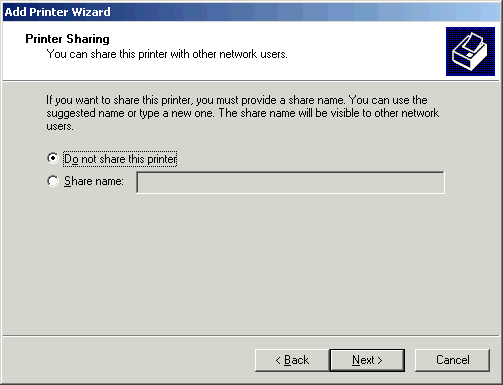
7. In the next step you choose if you want someone else to be connected to the same network be able to print on the same printer with you and assign a name that will be displayed on the net. (Usually in small offices it is necessary that more people print with the same printer).
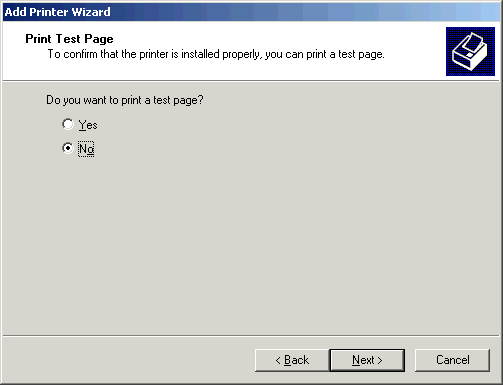
8. This is the last step of this process, the operating system will ask you to want to print a test page to ensure that the printer is installed correctly. If you don’t want, select the NO box and press the Next button.
9

In case of questions or questions about the installation of drivers, access the supporting pages of the producers or leave a comment to this article and we will reply as soon as possible!
Post views:
26,698
latest posts published

Don’t know which decoration to choose for your wedding? See ideas here | Your wedding at the castle

Guide to managing your wedding budget

When does the baby’s baptism take place? Guide 2026

Choose the menu according to your budget!

Greșeli organizare nuntă – 9 Mistakes that ruin your wedding

Top 5 reasons to call a wedding specialist

Everything you need for the mystery of baptism

Civil and religious marriage documents 2026

Fun activities for a successful baptism
